Free Online Document Tools & Professional Conversion, Anonymization, Security & Audit Suite.
Process, convert, anonymize, and audit your documents instantly in your browser — 100% free with no sign-up or credit card required. DocInspector offers a complete suite of online tools for PDF & PDF/A (ISO 19005) conversion, metadata cleaning, PII redaction, watermarking, signature removal, encryption, and Excel bundle reports. Need bulk offline folder processing, 20-column Deep Forensic Evidence Reports, or 3-Pass Secure File Shredding with destruction logs? Download our 100% private desktop application.
Four steps to bulletproof documents
A streamlined pipeline that takes your raw document folders and outputs hardened, audit-ready bundles.
Batch Process, Sanitize & Audit Files Online — Free
Need to batch process hundreds of PDF, Word or Excel files online, for free? DocInspector lets you sanitize PDF metadata in bulk, redact sensitive text across multiple PDF files at once, remove digital signatures, add watermarks to many documents in a single run, repair corrupted PDFs, flatten files into secure image-only PDFs, and convert Word & Excel files to PDF in batch — all directly in your browser, with no upload limits per run on the Pro plan and zero data retention. Every batch you process online can also generate a full folder audit report, including page counts and SHA-256 file hashes for every document, ready to export as Excel, PDF or CSV — a chain-of-custody feature most free online PDF tools simply don't offer.
Choose Your Workflow
No installation? Use the browser tools. Need unlimited power and full privacy? Use the desktop app.
- ✓ 100 files/day — completely free
- ✓ Sanitize · Watermark · Encrypt · Redact · Flatten · Repair
- ✓ PDF Bundle Summary (Excel + PDF report)
- ✓ Files deleted in <5 minutes automatically
- — PDF files only (max 15–50 MB per file)
- — No DOCX/XLSX, no OCR, no system audit
- ✓ Unlimited files — no daily limit
- ✓ PDF · DOCX · XLSX — all formats
- ✓ OCR · Secure Delete · AutoConverter
- ✓ Full system audit (BIOS/Serial/NTFS Owner)
- ✓ 100% offline — works in air-gapped networks
- ✓ Recursive folder scan — thousands of files
Your Data Stays Strictly Local
Professional environments require absolute data integrity. DocInspector ensures every bit of sensitive information is processed entirely on your workstation – no external calls, no cloud storage, no AI risk.
Technical Capabilities
Explore what you can accomplish instantly in your browser or with our offline desktop engine.
- PDF Stream Repair — Fix unopenable PDFs
- GDPR Metadata Cleaner — Strip GPS & author data
- Safe PDF Flattening — Secure files against edits
- Sleek Watermarking — Add custom text & logos
- Recursive Scan — Discover files in thousands of subfolders
- Bulk OCR Engine — Make scanned text fully searchable
- Office Safe-Convert — Bulk convert DOCX/XLSX to PDF offline
- Shredder — Cryptographically safe evidence deletion
- Bundle Summaries — Auto-generate master XLSX logs
- SHA-256 Hashing — Retain solid chain-of-custody logs
- Security Scanner — Detect malicious macros & links
- Compliance Checker — Inspect font embedding & standard formats
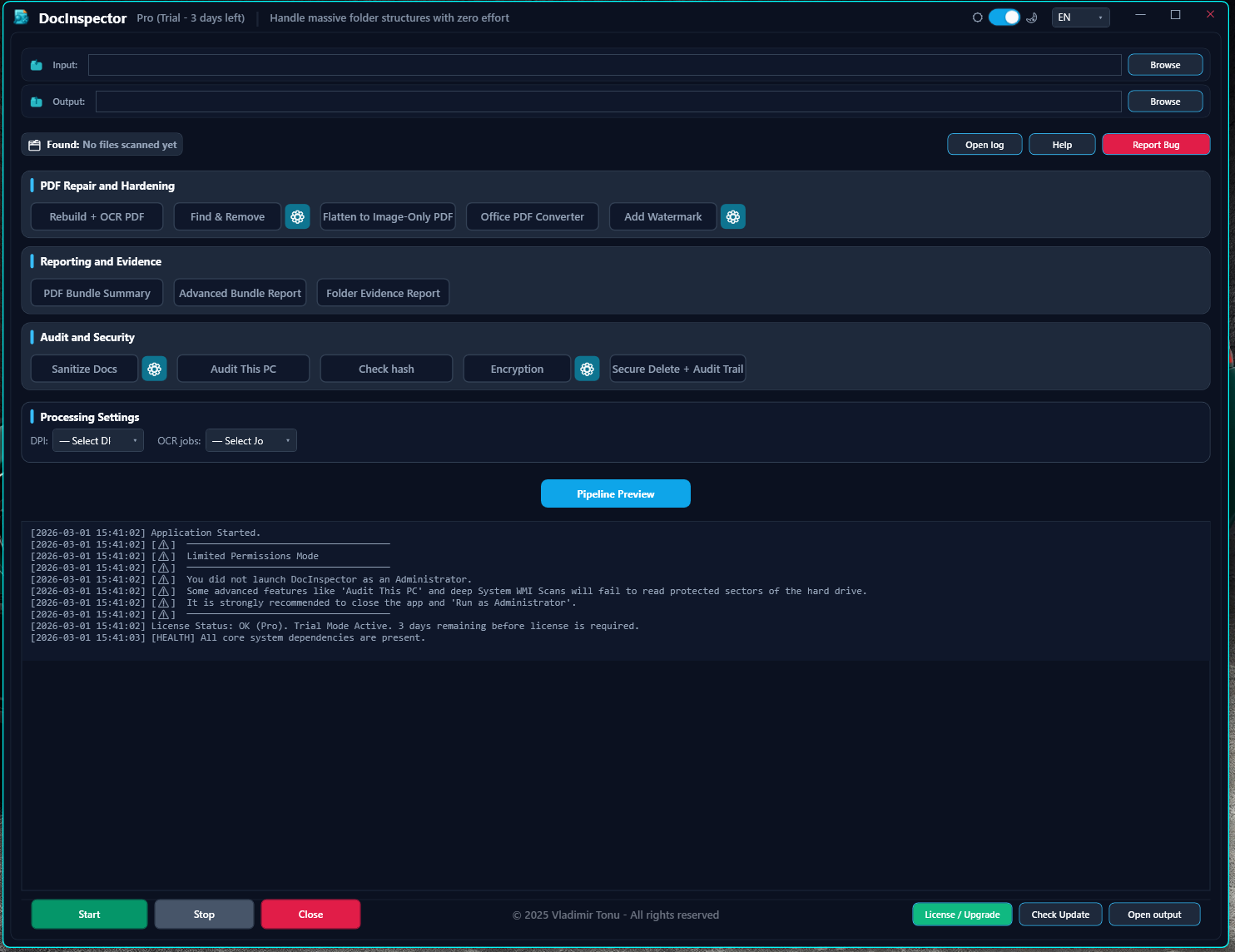
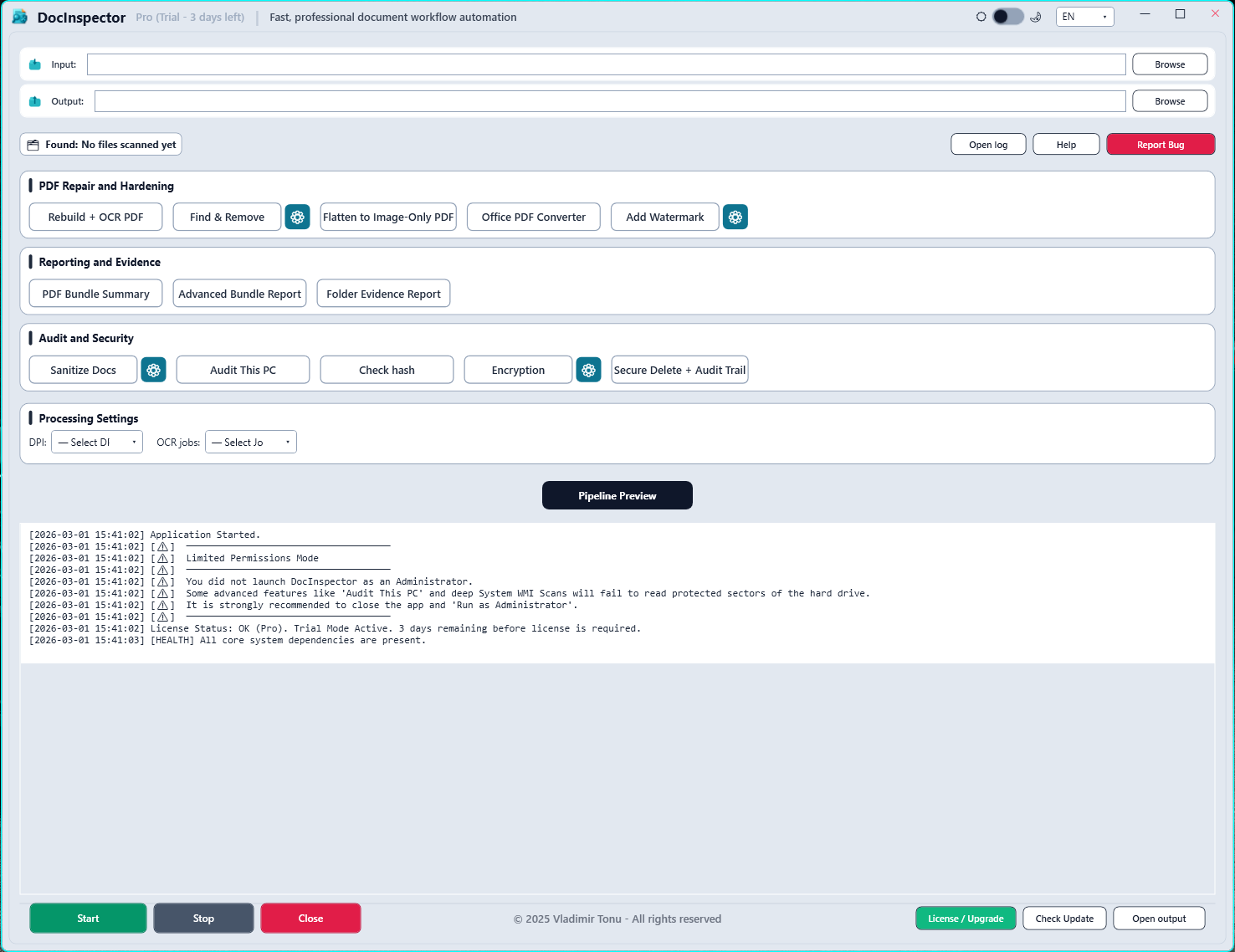
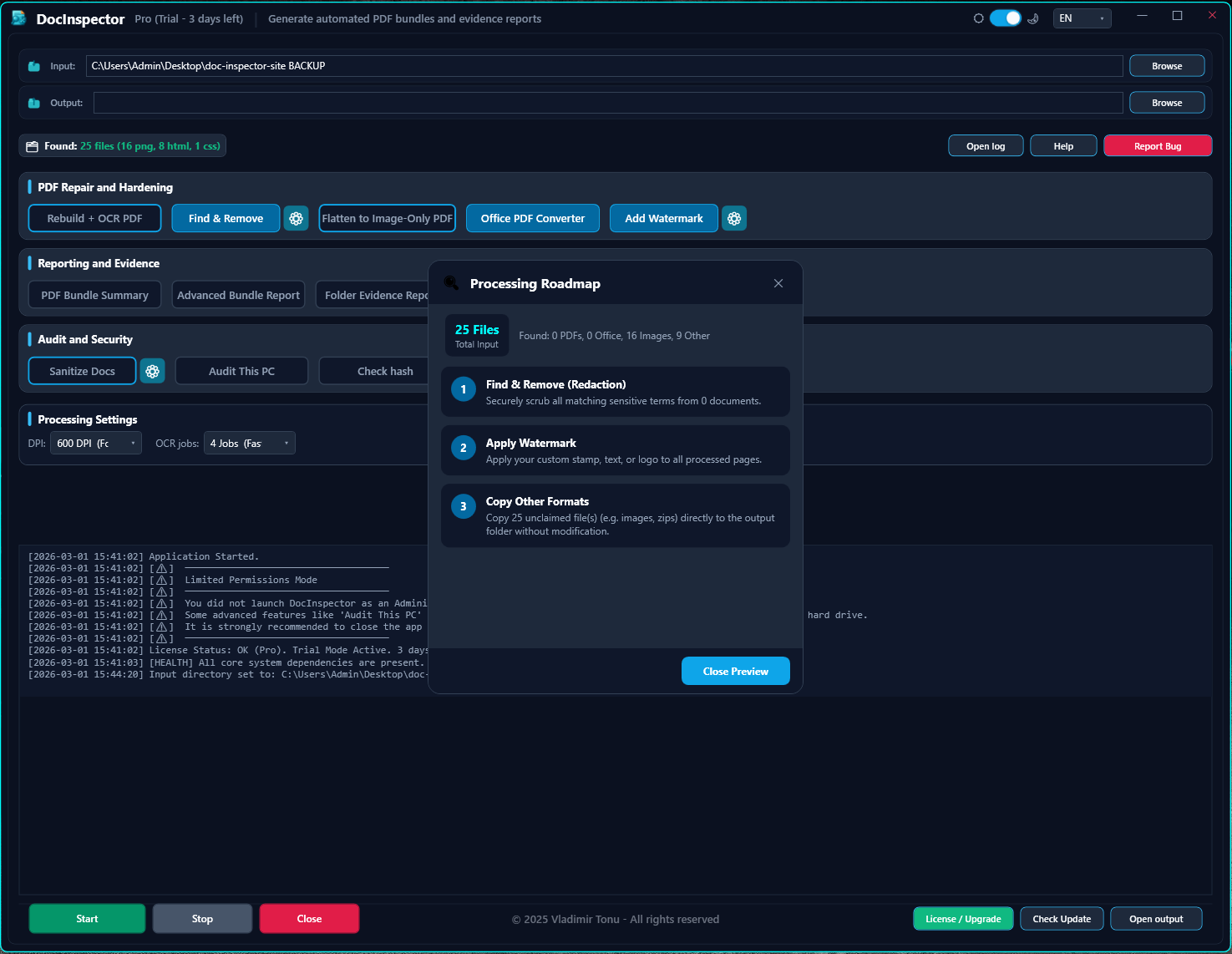
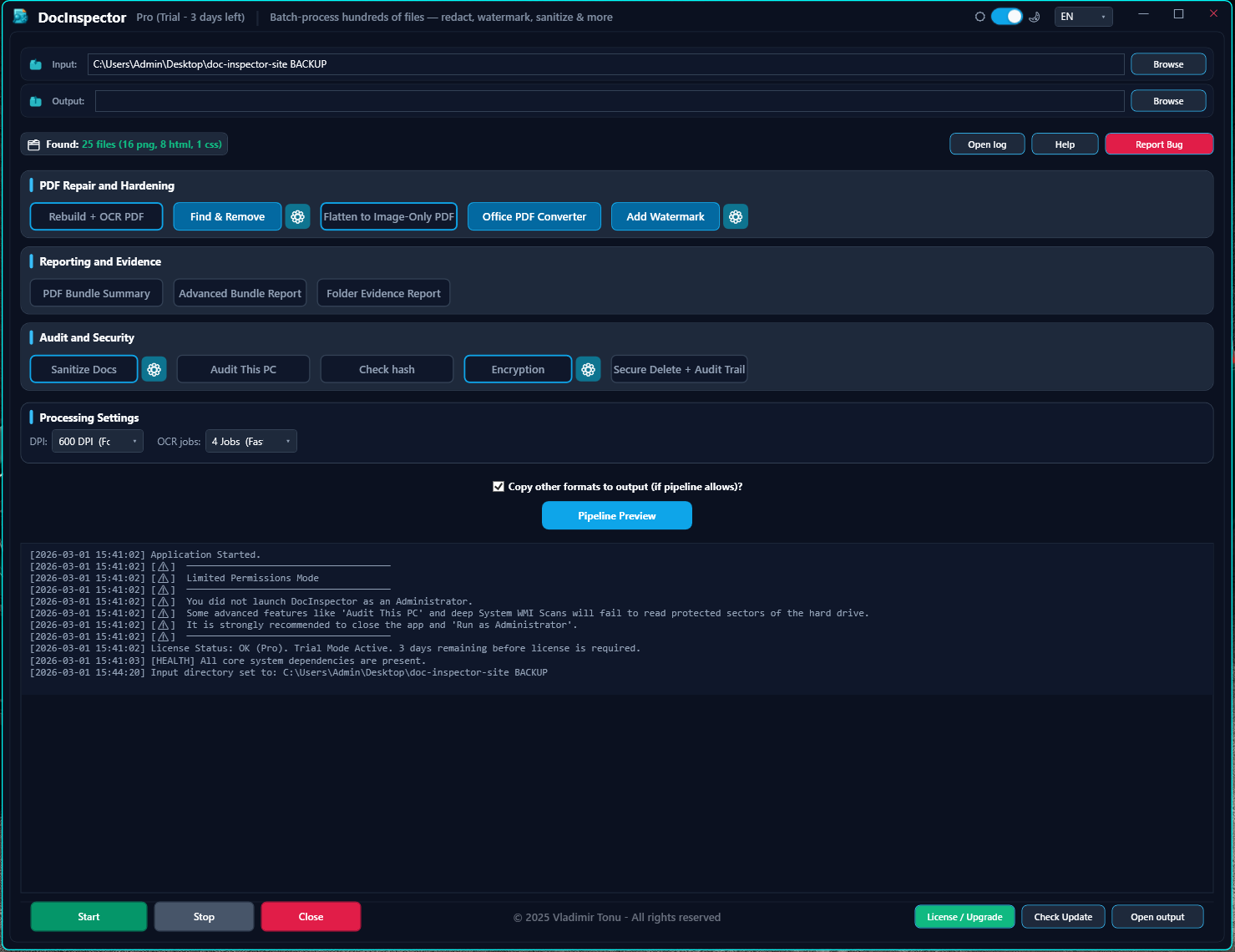
See It In Action
Explore the browser-based zero-upload engine or the full offline desktop batch workspace.
Built for Professionals
Ready to harden your documents?
Download the free 3-day trial. No registration, no credit card. Just install and go.
Common questions
Quick answers before you dive in.
Yes — all browser tools are free, no account needed. Free users get up to 100 files/day. Basic and Pro licenses unlock higher daily limits and advanced features.
No files are ever stored. The online tools process everything in an isolated VPS sandbox hosted in Germany 🇩🇪 (European Union) and delete your files immediately after download. The desktop app works 100% locally — no internet required.
Both offer the same operations. The difference is constraints. Browser tools require uploading your files to a server and downloading results back — this adds wait time and comes with file size and volume limits. The desktop app is installed once and runs entirely on your machine: no upload, no download, no internet required, no size or volume restrictions — processing speed depends only on your hardware.
Yes. Upload up to 100 files at once in the browser — all operations apply to the entire batch in one run. Pro license removes the daily limit entirely.
Yes. No permanent data collection, no file storage, no tracking of document contents. Both the online and desktop versions are GDPR compliant by design.
Yes. The GDPR Metadata Cleaner strips author names, GPS location, timestamps and other hidden metadata from PDF, DOCX, XLSX, JPG, PNG and TIFF files — apply it to an entire batch of files online for free, or process unlimited files offline with the desktop app.
Yes. Find & Redact removes the underlying text layer, OCR layer, and annotations — not just a visual overlay — so redacted content can never be recovered. Runs across your whole batch in one pass.
Yes, the Remove Digital Signatures tool strips signature fields safely without corrupting the rest of the document, and can run on multiple files in the same batch.
Yes. The Bundle Report tool scans an entire folder and produces a full inventory — file names, page counts, and SHA-256 hashes for every document — exportable as Excel, PDF or CSV, giving you a verifiable chain-of-custody record most online PDF tools don't offer.
Yes — Convert to PDF handles DOCX, XLSX, PPTX and image files, processing your whole batch online at once, or unlimited offline with the desktop app.
Yes. Drop an entire folder tree and DocInspector rebuilds the exact same folder and subfolder structure inside a single downloadable ZIP archive — nothing gets flattened or mixed together, however many files or subfolders you process.
Yes. The PDF/A Archival Converter (ISO 19005) prepares PDF, Word and Excel files for long-term digital archiving and acceptance by government portals, e-Justice systems and notaries that reject standard PDFs lacking embedded fonts and archival metadata.
DocInspector skips it instead of stopping the whole batch — failed or corrupted files are moved into a separate "error" folder inside the final ZIP, together with a diagnostic report, while the rest of your batch completes normally.